-
SFML /프로젝트 시작 ! 1. 시작화면 만들기활동 기록 😵💫/SFML 테트리스 2023. 2. 6. 11:43
원래는 사진으로 시작화면을 만드려고 했는데
이미지가 사라지는 효과를 찾기 못해서.........(어렵다)
아무튼 나중에 블록을 이미지로 넣을거라 !
시작화면은 텍스트로 만드려고 한다.
텍스트가 뜨고
움직이면서
일정시간이 지나거나 버튼이 눌리면 게임화면으로 전환되도록(텍스트 사라짐)

msvcprtd.lib 파일을 열 수 없습니다 오류 -> 속성에서 디렉터리 주소 바꾸기 (어제 잘못 건드려서...)
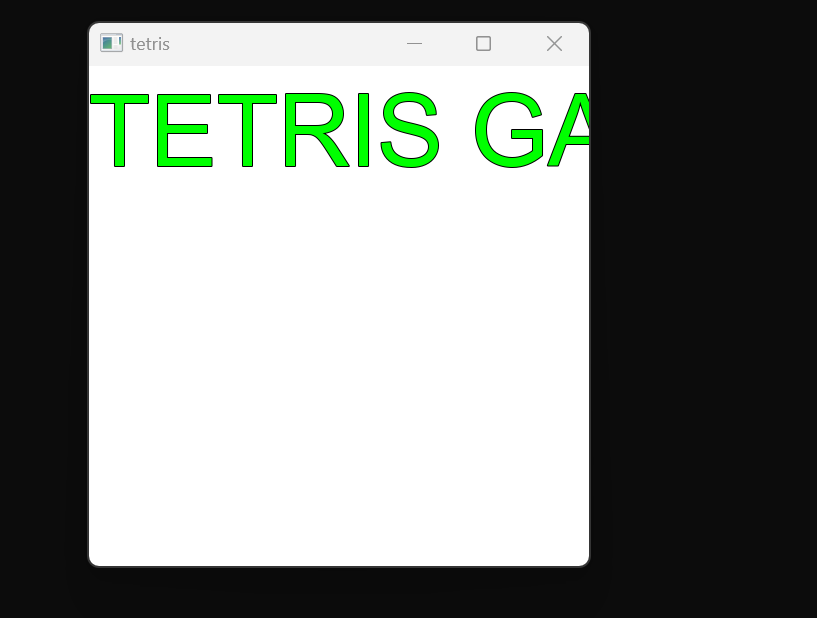
위치 조정하고 움직이는 효과도 추가해야겠다. (하고 싶은 폰트가 있는데 계속 오류나서 일단 임시처방)
#include <SFML/Graphics.hpp> #include <cassert> #include <stdio.h> #include <iostream> #include <windows.h> #include <string> #include <exception> #include <conio.h> #include <stdlib.h> #include <SFML/Config.hpp> #include <SFML/System/Export.hpp> using namespace std; using namespace sf; //이전과는 다르게 text를 설정하는 함수를 만든다. int textprint(Text& text, Font& font, int size, float x, float y, const Color& color, const Color& outColor, string p) // 왜 주소연산자 쓰는지 아시는 분, 왜 const 쓰는지 아시는 분!! { text.setFont(font); text.setCharacterSize(size); text.setPosition(x, y); text.setFillColor(color); text.setOutlineColor(outColor); text.setOutlineThickness(1.f); text.setString(p); return 0; } int main() { Text text; Uint8 r = 0, g = 0, b = 0; string comment = "TETRIS GAME START"; int x = 0, y = 0; Clock clock; //경과 시간 측정 float interval = 0; RenderWindow window(VideoMode(500, 500), "tetris"); //window.setFramerateLimit(60); window.setFramerateLimit(60); Font font; if (!font.loadFromFile("C:/Users/User/Downloads/arial/arial.ttf")) throw exception("font error"); textprint(text, font, 100, 0, 0, Color::Green, Color::Black,comment ); while (window.isOpen()) { float time = clock.getElapsedTime().asSeconds(); clock.restart(); interval += time; Event event; while (window.pollEvent(event)) { } window.clear(Color::White); window.draw(text); window.display(); } return 0; }'활동 기록 😵💫 > SFML 테트리스' 카테고리의 다른 글
SFML/ 2. 게임 화면 (1) 2023.02.12 SFML / 1. 게임시작화면 구현 (1) 2023.02.08 SFML / Texture Sprite(이미지) (3) 2023.02.05 SFML/ 키보드 (4) 2023.02.05 SFML / 윈도우 관리, 이벤트 튜토리얼 (3) 2023.02.05